

The Zone of View size.
Impact of changing the size of the Zone of View
The size of the Zone of View (ZOV) plays a critical role in the V-Nova PresenZ experience. It represents the agency that the user will have in VR to` move around. We strongly recommend staying with the default size ( 1m x 1m x 0.5m ). This covers all the natural movements in VR that the user will do while seated or standing in one spot.
A larger ZOV gives more agency to the viewer, but it usually quickly starts overwhelming the system during rendering and playback. Imagine a ZOV large enough to go into the next room; then all the information to cover the next room must also be computed, stored, and displayed.
There is only one case where the ZOV can be freely scaled without problem, which is when the Occlusion factor in the 3D scene is very low. For example, a ZOV in the middle of the sky with mountains far away will have a very low occlusion factor, allowing for a very large ZOV of several meters in length without any issues.
However, even in a scene with a high occlusion factor, it’s still possible to create a large space for the viewer to move around using multi-boxing. This technique involves creating multiple ZOVs located next to each other, providing a larger overall viewing area while maintaining a manageable occlusion factor.
In summary, it is usually best to keep the default size, and if necessary, use the multi-boxing approach if a larger overall viewing area is necessary.
The Zone of View size does not impact the scale of the Scene
It’s important to note that changing the size of the Zone Of View will not change the perceived scale of the scene for the VR user; it will just change the "agency" the user has, i.e., how much the user moves in the scene. Notice in the animated gif below how the avatar in the UI, representing the size of the VR user, does not scale, while we change the ZOV size.
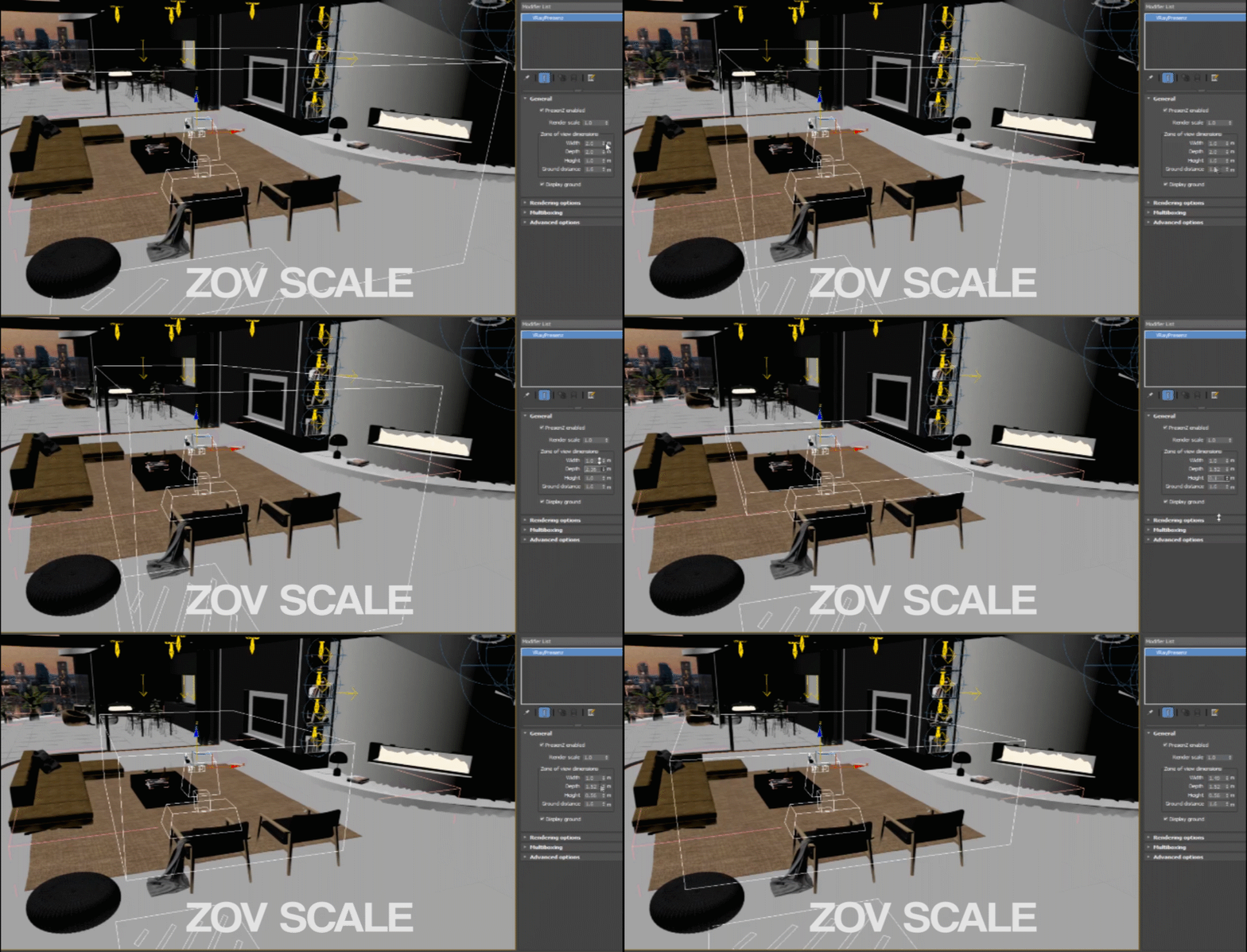
Note: By default, the Zone of View is 1m x 0.5m x 1m. If you want to have a standing experience with the virtual ground matching the real ground, it is recommended, if possible, to increase the ZOV height to at least 1 meter, to accommodate different people's heights.
Last updated
Was this helpful?